

Concept and Design

Every successful app starts with a well-considered concept and a user-centered design.
App Concept & Design That Works
We analyze your target audience, define clear goals and translate them into intuitive interfaces that actually work. From the first sketch to a clickable prototype you are involved at every step. The result is not a compromise — it is a product users understand immediately and open regularly.
The essentials of Concept and Design
- We analyze your target audience, define clear goals and guide you from the first sketch through wireframes to a clickable prototype – including user research, UI and UX design.
- We ask the right questions early instead of drawing screens early: the one job your app does better than any alternative matters more than any extra feature.
- We test the riskiest assumption first and deliberately build the prototype so it can fail – a concept disproven early is a win, not a setback.
- We think in flows and states rather than pretty still frames and deliberately design edge cases like the empty state, no connection, errors and the first launch.
- A documented design system with components, tokens and interaction rules keeps the app consistent across screens and releases and speeds up new features.




Real App Successes
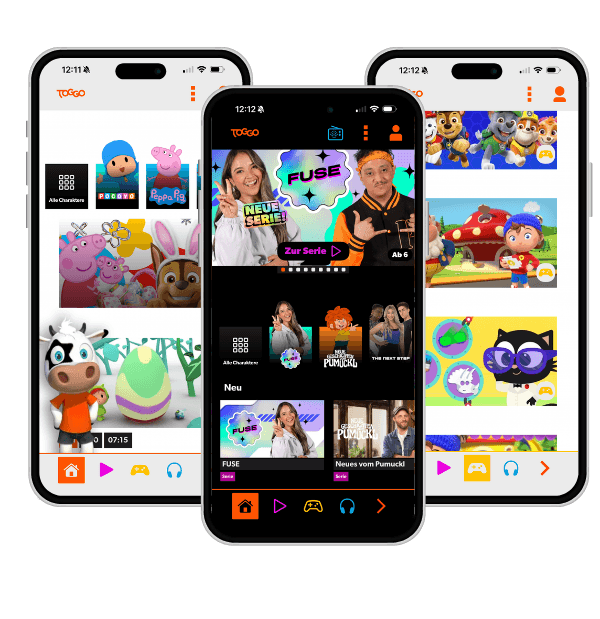
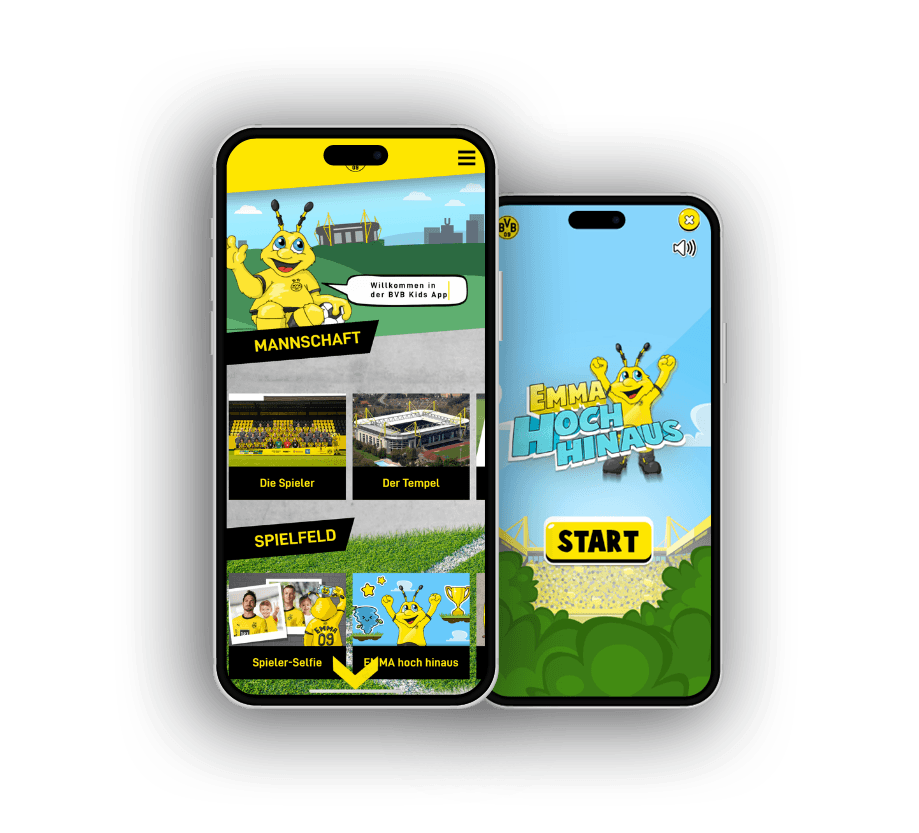

- You have an app idea but no validation that it actually fits your users' needs — risking months of development on something nobody wants.
- Without clear wireframes and a clickable prototype, developers, designers, and stakeholders talk past each other, leading to expensive corrections mid-development.
- Your existing app design looks polished, but users drop off on specific screens and you have no idea why.
Concept and Design: services in detail
- App UX/UI DesignThoughtful UX/UI design determines whether users love your app or delete it in frustration. We craft interfaces that are intuitive to navigate, carry your brand consistently, and guide users through their tasks efficiently – from first sketch to final pixel. Design is not the last step in our process; it is the starting point for all technical decisions.Learn more
- Prototyping & WireframingA clickable prototype is the cheapest way to test whether your app idea actually works. Before expensive development time is invested, we make concepts tangible: as wireframes for structure and user flow, and as high-fidelity prototypes for realistic tests with real users. This lets you make informed decisions before the first commit is made.Learn more
- Design Systems for AppsWhen every screen looks different and every developer makes UI decisions from scratch, every update becomes a guessing game. An app design system brings order: shared components, consistent tokens, and clear rules that keep design and development in sync – today and two years from now. Scalability starts not in code, but in the system.Learn more
From first idea to clickable prototype
Concept and design follow a clear sequence — each phase eliminates assumptions before the next begins, preventing costly corrections during development.
Target audience and context analysis
We establish which single moment and task your app solves better than any alternative — before drawing the first screen.
Risk prioritisation
The riskiest assumption is tested first, not the most comfortable one. A concept disproved early saves months of development.
Wireframes and interaction logic
Flows and states come before polished visuals: consistent interaction logic across all screens, including empty and error states.
Clickable prototype and usability tests
Real user feedback before a single line of code is written — weaknesses invisible in static designs are surfaced and resolved.
UI design and design system
Components, tokens and interaction rules as a documented system — consistent across screens and releases, with a clean developer handoff.
Each phase produces a testable deliverable that serves as the foundation for the next.
What matters most in the design process
Not all design decisions carry equal weight. These factors determine how effort is distributed — and why early phases have the greatest leverage.
- Consistency of interaction logicSame gesture, same response — otherwise no one learns the app
- Prototype before codeErrors in design cost a fraction of the equivalent fix after build
- Edge and error statesEmpty state, no network, first launch — often forgotten, always decisive
- Focus on one core taskApps that do everything are rarely opened
- Design system as foundationSpeeds up new features and ensures consistency across releases
- Visual UI finishImportant for trust — but only after stable interaction logic
Relative weighting
Relative weighting by influence on product quality and development efficiency.
What matters for Concept and Design
Good app concept work means asking the right questions early, not drawing screens early. Before we talk about layouts, we pin down the one job your app does better than any alternative and the exact moment a user actually reaches for it. Apps that do everything rarely get opened. The sharpest concept work is about leaving things out, not piling them on.
What matters is the order in which you test assumptions. Validate the riskiest one first, the one the whole product hangs on, not the most comfortable one. A prototype that only confirms what you already believe is wasted effort. We deliberately build it so it can fail, because a concept disproven early is a win, not a setback.
In the design itself, solid work separates from sloppy work through consistency of interaction logic. If the same gesture does different things on two screens, nobody learns your app, no matter how beautiful the individual screens look. That is why we think in flows and states, not in pretty still frames.
And a concept is only finished once it names the edge cases: the empty state, no connection, errors, the very first launch with no data. These are exactly the moments that shape the first impression, yet they are usually forgotten in the glossy mockup. We design them on purpose.
Related goal: Build a new product
Cost of late changes
A requirement fixed at the design stage costs a fraction of what the same correction costs after development is complete. The later in the process design problems are discovered, the more expensive they become to fix.
Prototype before code
Interactive prototypes enable real user feedback before a single line of code is written. This surfaces usage scenarios and friction points that remain invisible in static designs.
Design system as foundation
A documented design system — with components, tokens, and interaction rules — reduces inconsistencies across screens and releases, and significantly speeds up the development of new features.
Plan first, code second
An app wins or fails before the first line of code. We validate concept and design early — measurably lowering your development risk.
Understand first
User-centred requirements analysis before any development starts.
Test early
Clickable prototypes settle stakeholder questions before they get expensive.
System over screens
A consistent design system as a scalable foundation.
Clean handoff
Pixel-perfect handoff makes development frictionless.


What will your software or app cost?
Answer a few questions about your project – the Project Calculator shows a first range for cost and duration and the biggest effort drivers.
Start the Project CalculatorFrequently asked questions
Your question isn't here? Ask us directly
How long does the concept and design phase for an app take?
It depends heavily on the scope of your app. For a focused MVP we typically allow three to six weeks for research, wireframes and UI design. More complex products with multiple user roles or platforms require more time accordingly. We clarify this together in an initial workshop and give you a realistic estimate.
Can I bring my own design ideas or an existing brand into the process?
Absolutely — we work with your existing brand guidelines, logo files and design specifications. If no design system exists yet we develop it directly within the project. Your brand identity is our starting point, not an obstacle.
Do you deliver only designs or also the code?
Both. The concept and design phase results in pixel-perfect Figma files and a documented design system. In the subsequent development phase our engineers implement the design precisely — no telephone-game effect between design and code.
What is the difference between UI and UX design?
UX design (user experience) deals with logic and flow — how a user gets from A to B, how they complete tasks and where they might fail. UI design (user interface) shapes the visual appearance: colors, typography, icons, buttons. Both are inseparable and flow into every project we take on.
Do you also conduct user research if we already have an existing app?
Yes — that is precisely when user research pays off most. We analyze existing analytics, conduct user interviews and run usability tests with real users of your app. This lets us identify concrete weaknesses and prioritize improvements based on data rather than gut feeling.
Last updated on
READY FOR YOUR APP THAT SETS NEW STANDARDS?


Related articles from our blog