


PWA & Web Apps Without Store Barriers
Progressive Web Apps (PWA) and modern web apps run directly in the browser, can be installed on the home screen and work offline – no download hurdle, no store fees, cross-platform. We develop high-performance web apps and PWAs that feel like native apps and are accessible on any device with just one codebase.
The essentials of Web App Development & PWA
- We build web apps and Progressive Web Apps that run in the browser, install on the home screen and reach smartphone, tablet and desktop from one codebase.
- Service workers and a well-considered caching strategy make the app offline-capable and speed up repeat visits – without users getting stuck on a stale version.
- We build web apps with React and Next.js – component-based, so the interface stays manageable as the feature set grows.
- Updates reach all users immediately because the app always loads the current version from the web – no store review, no download hurdle.
- Unlike native apps, PWAs are indexable by search engines, so we optimize Core Web Vitals and structure so the app itself becomes an acquisition channel.




Real App Successes
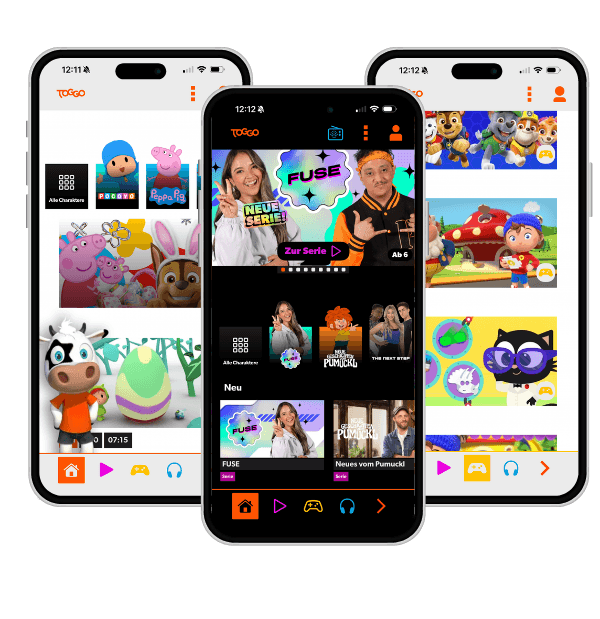


- You want users to try the app quickly, but the 'download from the store first' hurdle costs you reach.
- You want to serve smartphone, tablet and desktop but can't afford separate builds for each platform.
- Every update to your app has to pass the store review before it reaches users – critical fixes are delayed by days as a result.
Web App Development & PWA: services in detail
- Progressive Web AppsProgressive Web Apps combine the best of web and app: they run in the browser, can be installed on the home screen, send push notifications, and work offline – without the store barrier. For many use cases a PWA is the smarter choice than a native app: immediately accessible, platform-agnostic, and built on a single codebase for all devices.Learn more
- Offline-Capable Web AppsUsers abandon an app that shows only an error message on a poor connection. Offline-capable web apps work without the internet: cached content stays accessible, user actions are stored locally and synchronised on reconnect. Whether and how much offline capability pays off for your app, we clarify with you up front.Learn more
- Web App PerformanceA slow web app loses users before it even loads. Core Web Vitals affect search rankings, user retention, and conversion. We systematically analyse your web app's performance, identify the bottlenecks with the greatest impact, and optimise deliberately – delivering measurable improvements in LCP, CLS, and INP.Learn more
Web App / PWA vs. Store App
Whether a PWA or a native app is the right choice depends on the project – this comparison shows where each approach has its strengths.
| Store App (native) | Web App / PWA | |
|---|---|---|
| Installation path | App Store / Play Store | Directly in the browser |
| Update distribution | Review process, days of delay | Instant for all users |
| Platform coverage | Separate builds per platform | One codebase, all devices |
| Discoverability via SEO | ||
| Store fees | 15–30 % on in-app purchases | None |
| Offline capability | ✓ (via service worker) |
We advise honestly: if a device interface requires a native app, we will say so.
Quality factors of a PWA
Not every PWA is equally good. These factors determine whether a Progressive Web App runs reliably and truly feels native.
- Caching & update strategy (service worker)Controls offline behaviour and prevents stale versions
- Response time & interactivityInstant input response separates a PWA from a sluggish website
- Offline state & error handlingMeaningful fallback instead of an error page when offline
- Performance & Core Web VitalsDirect impact on SEO ranking and conversion
- Platform-limit honesty (iOS/Android)Push & background processing limited on iOS – must be communicated clearly
Relative weighting
The caching strategy is the technical foundation – everything else builds on it.
What matters for Web App Development & PWA
With a web app or PWA, the caching strategy decides almost everything. Which resource comes from the cache, which must be fetched fresh, and how do you stop users from getting stuck on a stale version? A well-considered cache and update strategy in the service worker separates a PWA that runs reliably from one nobody can shake off because it keeps serving old content.
A PWA feels native through behaviour, not through a manifest. Instant responses to input, a sensible offline state instead of an error page, and transitions without jank are what make the difference. Drop an icon on the home screen but otherwise ship a sluggish website, and you have missed the point of a PWA entirely.
It matters to be honest about the limits. PWAs do not reach every device interface equally deeply, and on iOS in particular there are constraints around push and background processing you need to know before you promise anything. We take the PWA route where it holds and say plainly where a native app is the better answer.
The underrated advantage is discoverability. Unlike a store app, a PWA is indexable, so its performance in the browser becomes a marketing factor. A fast, cleanly structured web app ranks and converts better, and that is exactly what makes it the smarter choice over a store download for many projects.
Most of our web apps and PWAs are built with React – as a React agency you'll find our team, references and way of working on the agency page.
Installable without a store
A PWA is installed via the browser and appears with its own icon on the home screen – without an app store, without a review process and without downloading several hundred megabytes. That significantly lowers the barrier to entry for users.
Offline through service workers
Service workers are the technical heart of every PWA. They cache content intelligently, enable offline use and noticeably speed up repeat visits because resources are kept locally.
Discoverable via search engines
Unlike native apps, web apps are indexable by search engines. A technically clean PWA can be found via Google and thus become an acquisition channel itself – an advantage app-store apps don't have.
App feel, no store
Not every app belongs in the store. We build web apps with React and Next.js that run in the browser and can be found via search engines – whether an installable PWA is worth it on top, we clarify up front.
One code, every device
Reachable everywhere from a single codebase.
No store detour
Installable on the home screen — no download hurdle or store fees.
Offline, honestly assessed
Whether offline operation via a service worker is needed for your case, we clarify up front – including the limits on iOS.
An acquisition channel
Findable via search engines — the app brings new users.


Frequently asked questions
Your question isn't here? Ask us directly
What is the difference between a PWA and a native app?
A native app is installed from the app store and runs directly on the operating system. A PWA runs in the browser but can be installed on the home screen like a native app and used offline. PWAs are cheaper, cross-platform and instantly updatable; native apps in turn offer deeper access to some hardware features. Which makes more sense depends on your use case.
Does a PWA work on the iPhone?
Yes. PWAs run on iOS in Safari and can be installed on the home screen. Apple supports core PWA features like service workers and, since recent iOS versions, web push notifications too. Some very specific native features are more restricted on iOS than on Android – we take that into account during the concept phase.
Can a web app work offline?
Yes. Through service workers and caching strategies, already loaded content stays available offline and user inputs are cached. As soon as the connection returns, the app syncs in the background. The offline scope depends on the use case and is defined deliberately.
Does a PWA need an app store?
No. That's one of its biggest advantages: users open the PWA via a link and install it directly. There are optional ways to list a PWA in the stores too, but it's not necessary. You save yourself review processes, store fees and the download hurdle.
Is a web app faster to build than a native app?
As a rule yes, because only one codebase is created for all platforms. You reach smartphone, tablet and desktop at the same time, without separate builds and store releases. With a clearly defined feature set, a PWA is therefore often the fastest and most economical path to an app experience.
Last updated on
READY FOR YOUR APP THAT SETS NEW STANDARDS?


Related articles from our blog