

Flutter Development

Flutter by Google enables pixel-perfect apps for iOS and Android from a single codebase – with its own rendering engine that is independent of native platform widgets.
Flutter Development: When the Framework Pays Off
The result: visually consistent apps that look identical on old and new devices, start quickly, and feel native. This page explains how Flutter development works and when it pays off. Our own cross-platform apps are built with React Native.
The essentials of Flutter Development
- Flutter serves iOS and Android from a single codebase – this page sets out when the framework pays off and when it doesn't.
- Flutter renders the UI in its own engine (Skia / Impeller), so the app looks exactly the same on every device and OS version.
- Flutter apps compile to native ARM code rather than being interpreted, enabling fast app startup and smooth animations even on older devices.
- A Flutter project only stays maintainable when state is separated clearly from the UI and rebuilds are tightly scoped – profiling instead of guessing.
- Where Flutter has no ready-made solution, platform channels add native Swift and Kotlin code for camera, Bluetooth or sensors.




Real App Successes
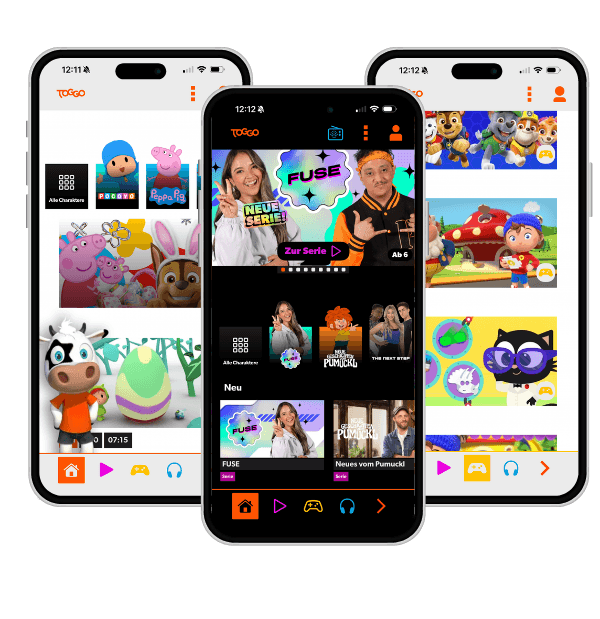
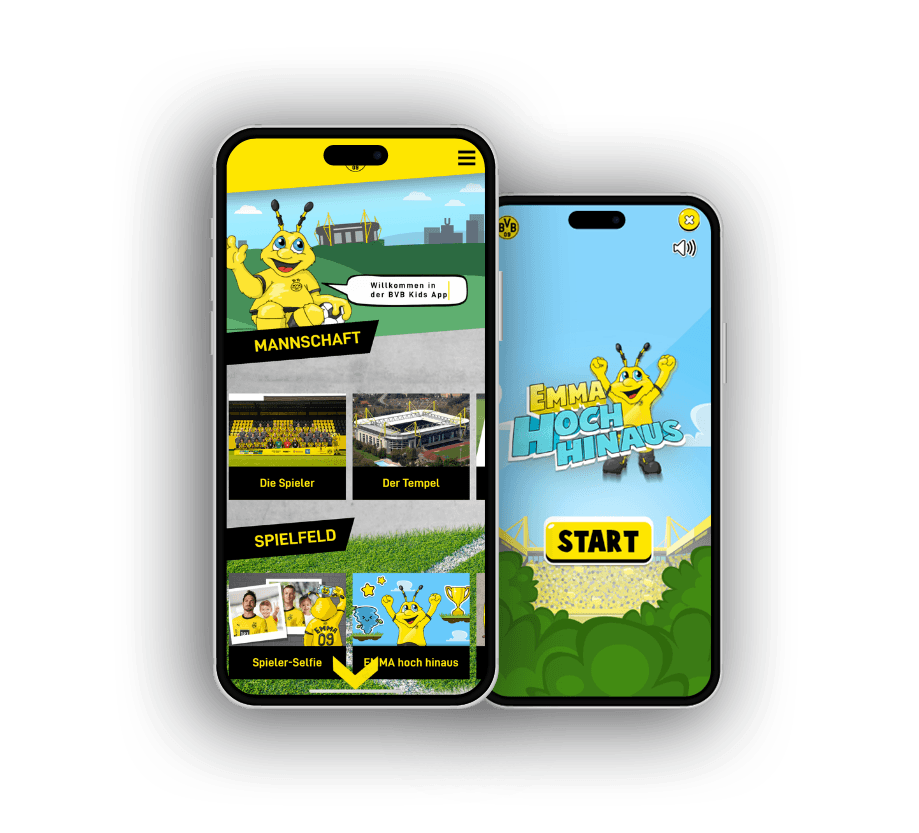

- Your app looks different across Android versions – pixel deviations and layout errors pile up with every OS update.
- You want a visually demanding app that looks identical on iOS and Android without maintaining two codebases.
- Your team is looking for a cross-platform framework that truly delivers native performance instead of feeling like a dressed-up web app.
Own Rendering Engine
Flutter renders all UI elements in its own engine (Skia / Impeller), independent of native iOS or Android components. That means the app looks exactly the same on every device and OS version. Platform-specific UI bugs that surface with a new Android update become a thing of the past.
Dart as the Language
Flutter uses Dart – a concise, strongly typed language that developers with Java, Kotlin, or Swift experience can pick up quickly. Dart compiles to native ARM code, giving Flutter apps a performance profile close to true native.
Widget System
Everything in Flutter is a widget. This design decision makes layouts extremely flexible yet highly predictable. What matters is a clean widget hierarchy with a fitting state management pattern: mix logic and presentation in the tree and you end up with exactly the projects nobody wants to touch as complexity grows.
Platform Extensions
Where Flutter has no ready-made solution, platform channels come into play – native iOS and Android implementations that are called seamlessly from Flutter. Camera pipelines, Bluetooth integrations, or device-specific sensors are accessible without giving up cross-platform benefits.
Flutter architecture from the ground up
Flutter works differently from classic cross-platform frameworks: instead of wrapping native widgets, its own engine renders directly onto the canvas. Each layer builds on the one beneath it.
Store Release
Finished app in the App Store and Google Play – signed, optimised, release-ready.
Platform Extensions
Native camera, Bluetooth, push notifications – cleanly connected via Platform Channels.
Widget System
Everything in Flutter is a widget: layout, style, interaction. The tree defines the entire UI.
Dart & State Management
Dart code controls logic and state. Clean separation prevents unmaintainable widget trees.
Own Rendering Engine (Skia / Impeller)
Flutter draws directly onto the canvas, independent of native platform widgets – the basis for pixel-accurate, consistent UIs on every device.
The rendering engine is the foundation – it determines what is possible above it.
Quality factors of a Flutter app
Native compilation alone does not make a great app. These factors determine whether a Flutter app feels performant, maintainable, and platform-appropriate – in descending order of importance.
- State management architectureDetermines maintainability and scalability of the entire project
- Rebuild controlOverly broad rebuilds cancel out the performance advantage of native compilation
- Platform feel (iOS / Android)Pixel-identical ≠ platform-blind – scroll physics, gestures, back-navigation must match
- Accessibility & semanticsFlutter does not adopt system conventions automatically – must be actively considered
- Platform Channel designInterface to native features – poorly scoped it becomes a bottleneck
Relative weighting
The weighting applies to demanding, long-lived apps; simple prototypes set different priorities.
What matters for Flutter Development
Flutter's strength is its own rendering engine, and from that follows its most important design decision: you build your own UI that is consistent everywhere instead of relying on native widgets. That is an advantage when a distinct design language is the goal, but it demands discipline so the app still feels like iOS on iOS and Android on Android. Pixel-identical does not mean platform-blind.
Clean state management decides whether a Flutter project stays maintainable. The widget tree makes it easy to mix logic and presentation, and that is exactly where hard-to-maintain apps come from. Maintainable projects separate state clearly from the UI and pick the approach that fits the project's size instead of chasing every trend.
Performance in Flutter does not come for free but from a deliberate handling of rebuilds. Redraw half the screen because one small value changed and you give back the speed advantage of native compilation. Tightly scoped rebuilds and profiling instead of guessing are the mandatory exercise here.
And the advantage of a consistent UI is also a responsibility. Because Flutter does not automatically adopt every system convention, accessibility, font scaling, and platform-specific behaviour have to be considered actively. That very care separates a professional Flutter app from one that merely looks the same everywhere.
If you are looking for a partner to build it: we work as a React Native agency and build our own cross-platform apps with React Native.
Pixel-Perfect UIs
Because Flutter uses its own rendering engine, the app looks exactly the same on every device and OS version – with no platform-specific UI deviations that resurface with each new Android or iOS release.
Hot Reload
Flutter's hot reload shows code changes in real time in the running emulator or device – without restarting the app. This significantly accelerates UI development and debugging.
Native Compilation
Flutter apps compile to native ARM code rather than being interpreted. This delivers fast app startup and smooth animations, even on older or lower-powered devices.
One app for iOS and Android
With us you're always one step ahead technologically and tap directly into our extensive app development expertise. We take a close look at your app idea, identify key success factors and create tailor-made applications. Your visions and goals are at the heart of our joint project work.
Expert knowledge in app technologies
React Native, native iOS and Android development: we pick the stack to fit your project, not our preference.
Comprehensive user experience know-how
Intuitive operation and seamless interactions decide ratings and how long users stay in the app.
Proven track record
Published apps in the App Store and Play Store, from MVP to mature platform.
Versatile team
Concept, design, development and backend come together in one team that works without interface friction.
Long-term partnerships
We stay after launch and keep evolving your app with maintenance and updates.


What will your software or app cost?
Answer a few questions about your project – the Project Calculator shows a first range for cost and duration and the biggest effort drivers.
Start the Project CalculatorFrequently asked questions
Your question isn't here? Ask us directly
Is Flutter suitable for production-critical apps?
Yes. Flutter is used in production by Google and many large companies and is mature. The package ecosystem grows continuously, and Google actively invests in the platform.
How does Flutter compare to React Native in performance?
Both frameworks deliver comparable performance for most apps. Flutter has an advantage in animation-heavy and visually complex apps through its own rendering engine – with no dependency on the native UI thread.
Can Flutter also be used for desktop or web apps?
Yes. Flutter officially supports web, Windows, macOS, and Linux alongside iOS and Android. The ecosystem for web and desktop targets is less mature than for mobile, but can be a sensible option when maximising codebase reuse.
Does nextlevels build apps with Flutter?
No. We build our cross-platform apps with React Native, because that is where our team is at home and app and web share the same TypeScript base. This page is meant as decision support on Flutter, not as a service offering. If your project clearly calls for Flutter, we will tell you so honestly.
Last updated on
READY FOR YOUR APP THAT SETS NEW STANDARDS?


Related articles from our blog